A CRM built for advisors — centralize client records, business data, and session history in one view.

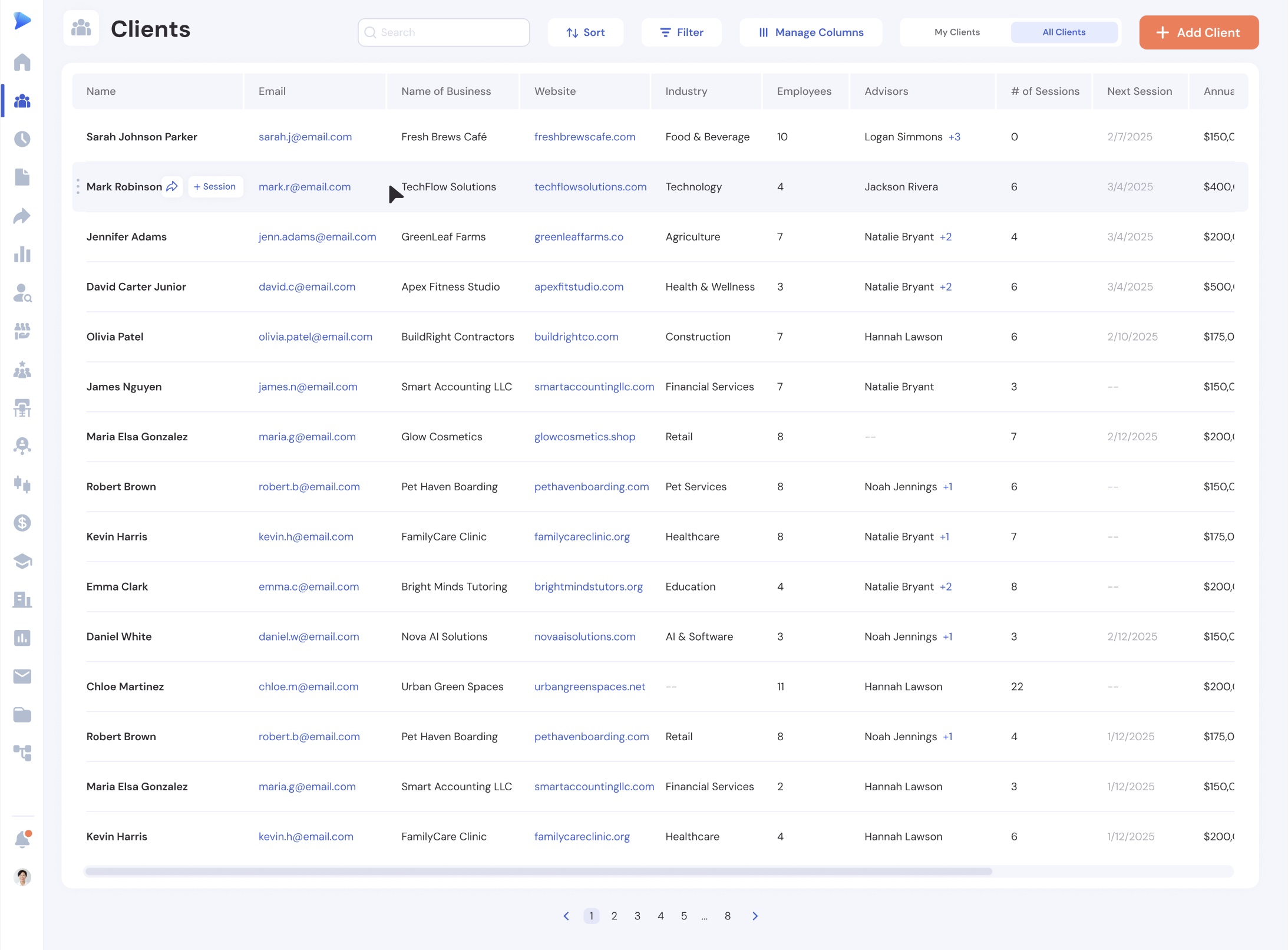
Search, sort, filter, and customize columns to see exactly what matters.

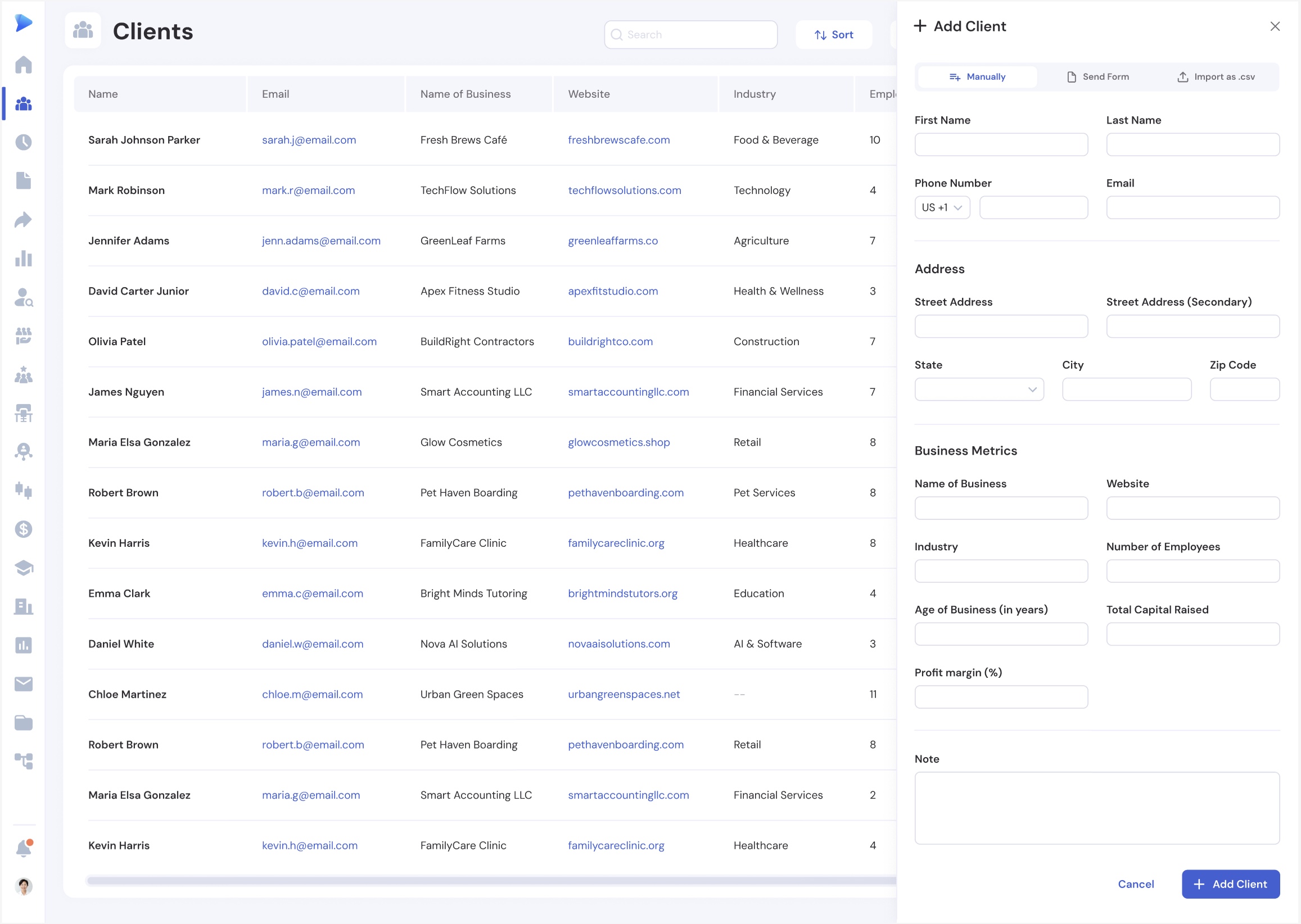
Add clients manually, via intake forms, or CSV import.

Advisors see their clients; admins see everything.
CLIENT INTAKE
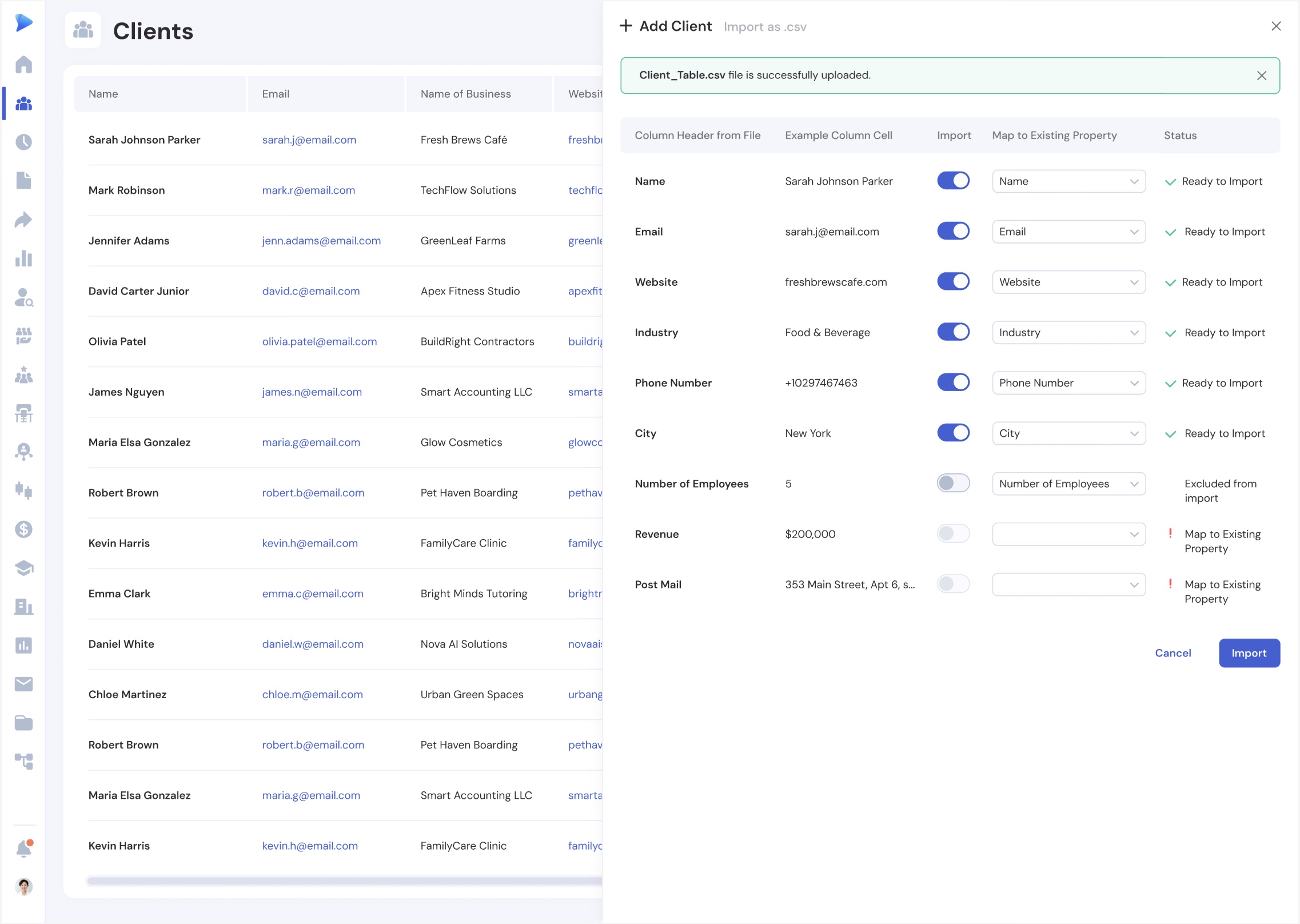
Manual entry with just an email, form-based intake via a shareable link, or bulk CSV import with column mapping and preview.

CLIENT RECORD
Full profile with contact info, businesses, sessions, referrals, programs, milestones, and activity history.

CLIENT TABLE
Searchable table with customizable columns, sorting, filtering, and quick actions like Refer and New Session.

EVERYTHING YOU NEED

Hover over any client for instant access to Refer and New Session actions.

Visual indicator for unreviewed clients so nothing slips through the cracks.

Link multiple businesses to each client and track milestones per business.
Define milestones per cohort and track each participant's progress toward completion

Import clients in bulk with column mapping and duplicate detection.

Extend client and business records with custom fields that fit your program.
"Catalyzer's Events feature has completely transformed how we manage our accelerator. We save hours every week on registration, attendance tracking, and follow-up emails."
FAQ
How do I add clients to Catalyzer?
You can add clients three ways: manually by entering just an email address, by sending an intake form link for clients to fill out themselves, or by importing a CSV file with column mapping and preview.
Can advisors only see their own clients?
Yes. Advisors can view and edit clients they created or were assigned to. System Admins and Admins have full access to all clients in the hub.
Can a client be linked to multiple businesses?
Yes. Each client can have multiple businesses linked to their record. Sessions and milestones can be associated with specific businesses.
How do I import clients from a spreadsheet?
Use the CSV import tool to upload your spreadsheet, map columns to client properties, preview the import, and add clients in bulk.
Can I track milestones like jobs created or revenue growth?
Yes. Milestones are tracked on business records and can be automatically populated from form submissions using property mapping.
Join program managers who use Catalyzer to manage client relationships.