Cut cohort admin time and improve founder tracking. Our free session with LAUNCH Chattanooga.

Session Tracking

Schedule Every Session. Capture Every Detail.

Log advising sessions, track hours, and build a complete record of the support you provide.

Trusted by program managers across the country

St. Tammany Economic Development Corporation
Covington
.
LA
Government
Missouri SBDC
Kansas City
.
MO
SBDC

Everything you need to manage your sessions

Calendar & List Views

See your week at a glance or filter sessions by program and client.

Fast Session Logging

Create sessions from anywhere — the calendar, client page, or after a referral.

Linked to Programs

Every session ties back to a program for accurate impact reporting.

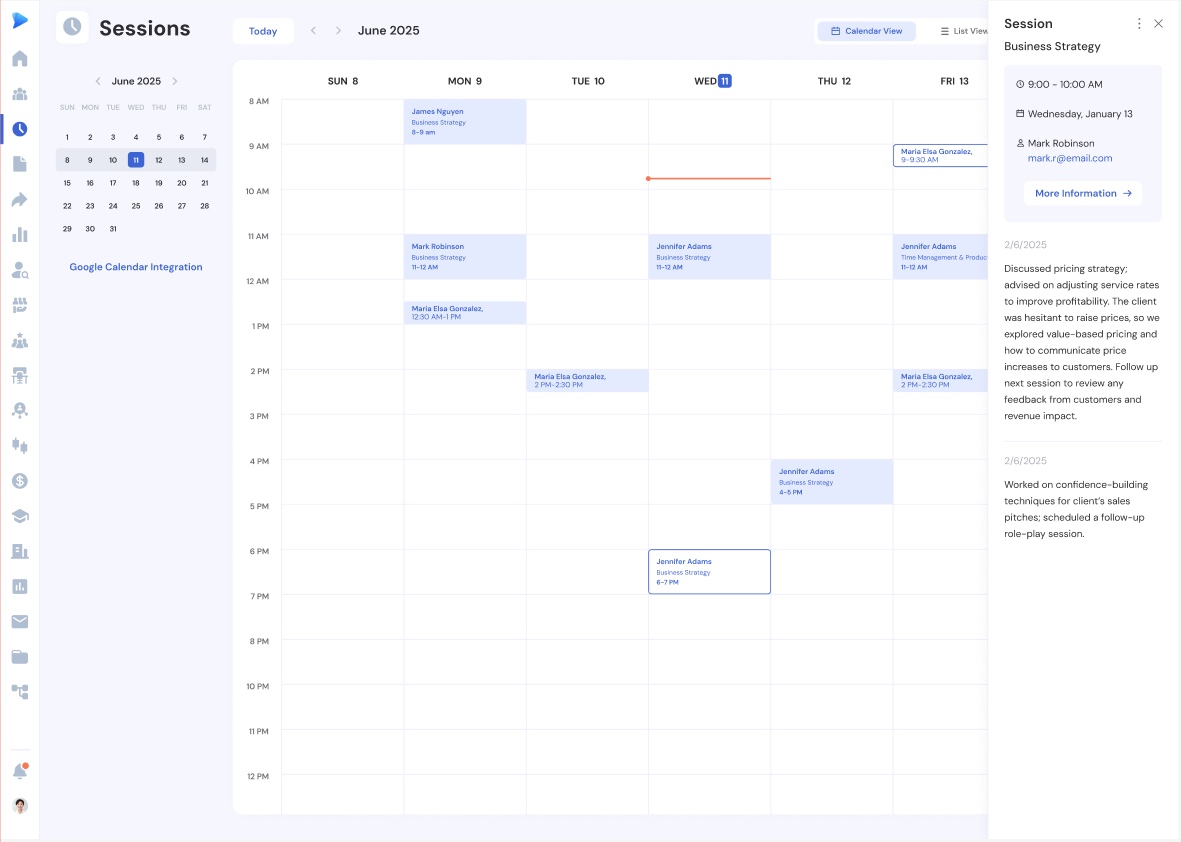
SESSION CALENDAR

Your advising schedule at a glance

Weekly calendar view with upcoming and past sessions, side-panel inspection, and clone for recurring meetings.

Event calendar with card, list, and calendar views

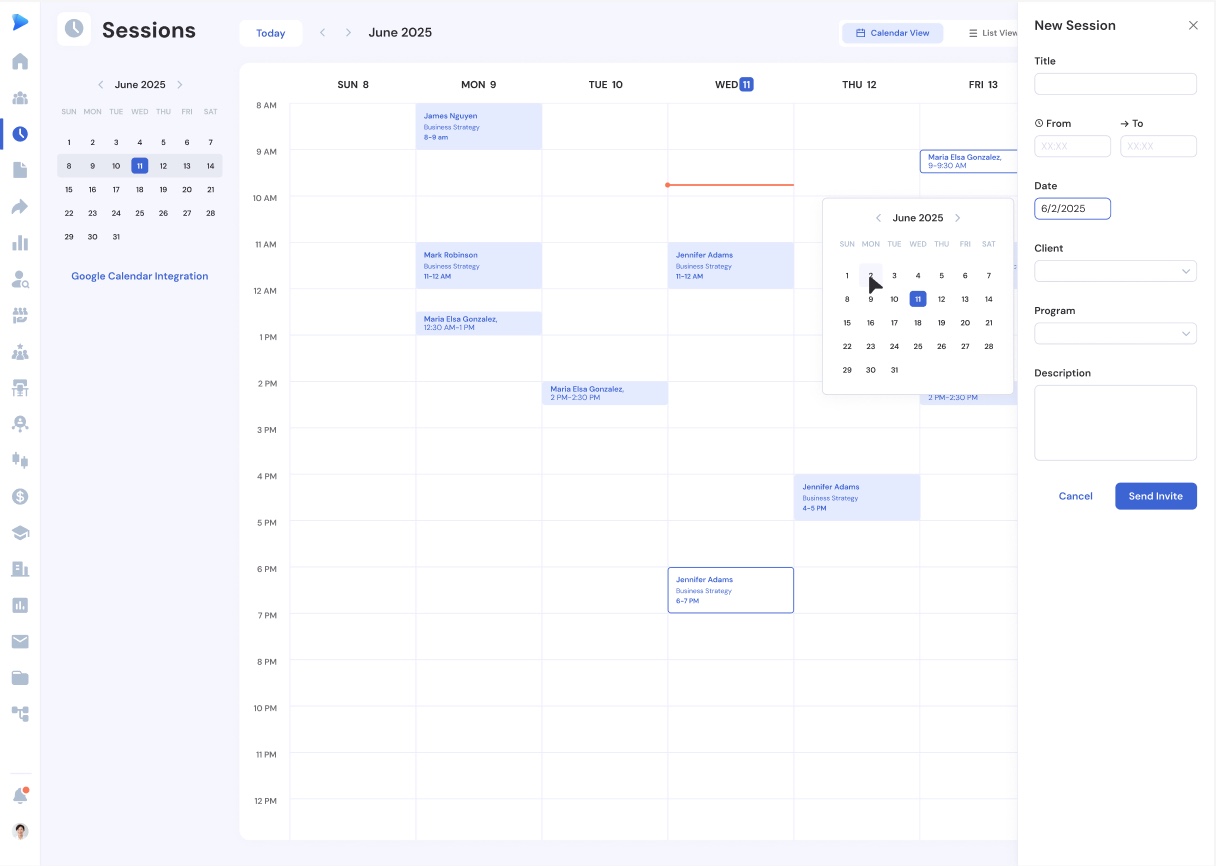
SESSION CREATION

Create sessions from anywhere

Multiple entry points — calendar, client page, table quick action, or previous session. Future sessions send invites; past sessions log the record.

Event calendar with card, list, and calendar views

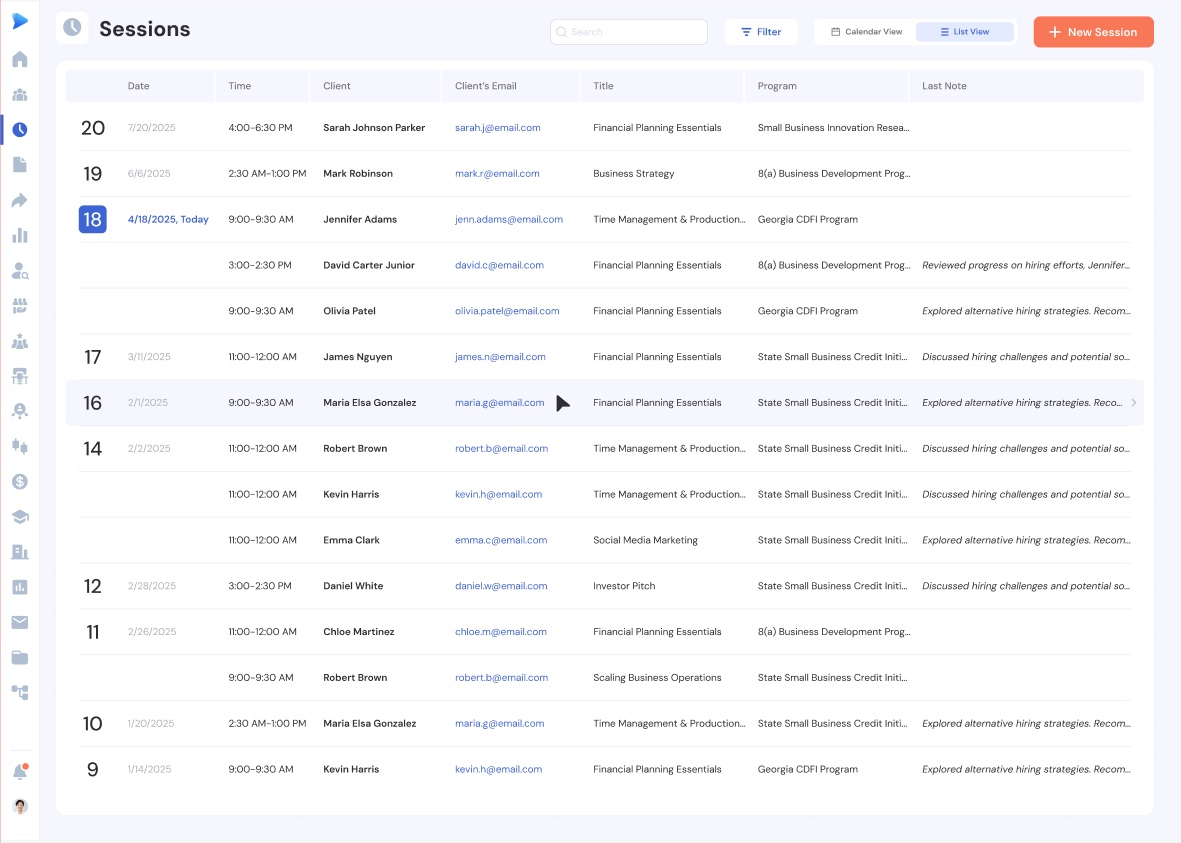
SESSION DETAIL

Every session tells a story

Full session record with client link, business, program association, description, and follow-up actions.

Event calendar with card, list, and calendar views

EVERYTHING YOU NEED

Built for advisors who track client interactions

Click-and-Drag Scheduling

Drag on the calendar to set the time for a new session.

Clone Sessions

Repeat a session for the following week with one click.

Side Panel Preview

Inspect session details without leaving the calendar.

Program Association

Cohorts roll up to programs so all impact data stays connected

Multiple Business Support

Select which business the session covers when a client has more than one.

Session History on Client Page

Full session timeline per client, visible on their record page.

"Catalyzer's Events feature has completely transformed how we manage our accelerator. We save hours every week on registration, attendance tracking, and follow-up emails."

Tyler John

Greater Economic Alliance

FAQ

Frequently asked questions

Yes. Use the clone feature to repeat a session for the following week, keeping the same client, time, and program association.

Create a session with a past date and time. Catalyzer treats it as a completed session and adds it to your records.

Yes. Select a program when creating or editing a session. The session then rolls up to that program's reporting.

For future sessions, you can send a calendar invite to the client. Past sessions are logged as records without notifications.

Sessions associated with a program are automatically counted in that program's metrics, including hours logged and client interactions.

Purpose-Built for Managing Small Business Programs

Join program managers who use Catalyzer to manage client relationships.

Book a Demo