
All your programs.
All your data.
All in one place.
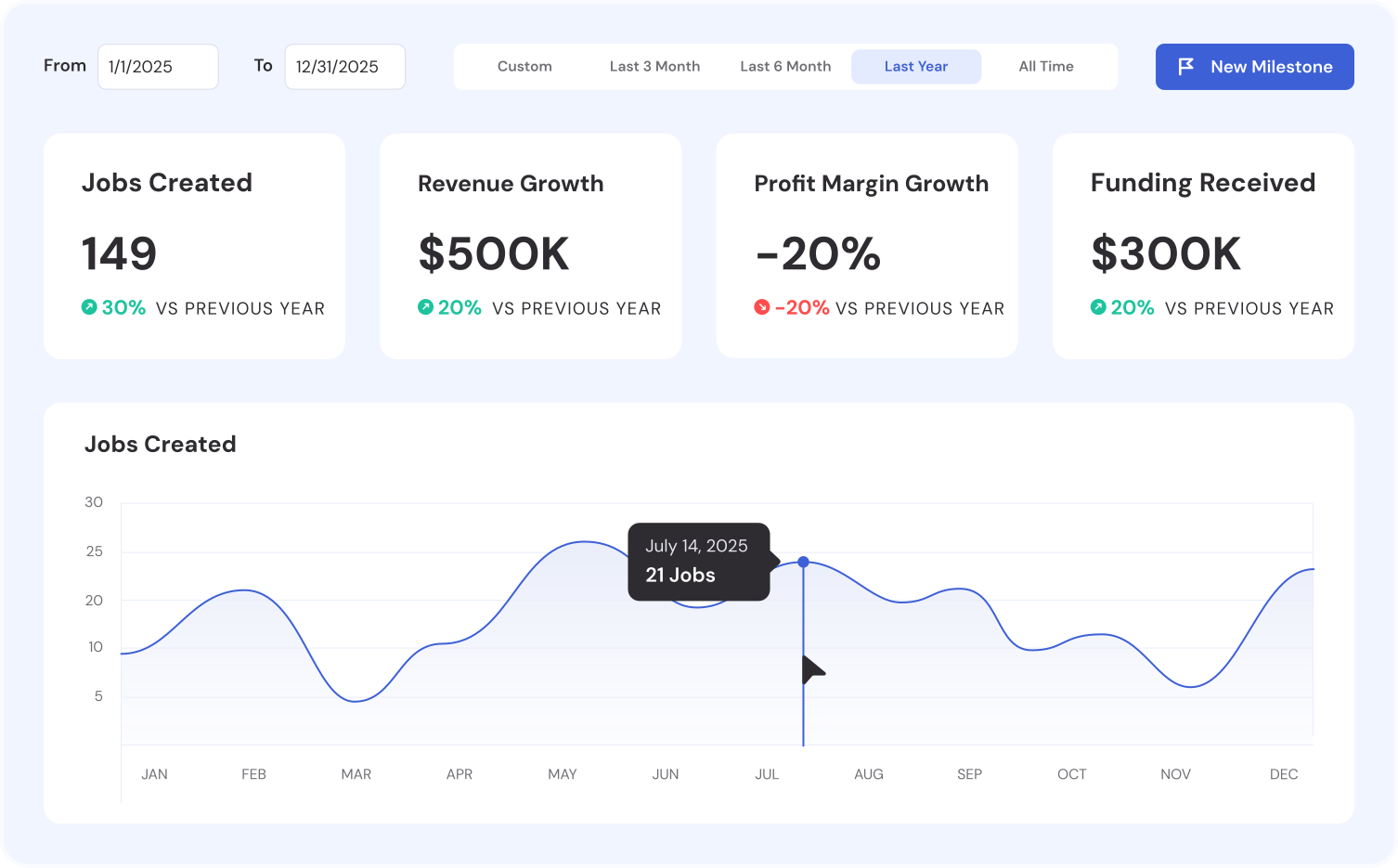





All your programs,
All your data,
All in one place.
Catalyzer is a CRM built for Small Business Development Centers. From the team at Economic Impact Catalyst, whose software is trusted by 200+ communities supporting 25,000+ businesses, it replaces spreadsheet-based tracking with a single platform for client intake, technical assistance logging, milestone tracking, and funder-ready reporting — including SSBCI and Build 2 Scale compliance.
Purpose-Built for Community Leaders Like You
Discover how we stand out in the market.

Capture Economic Outcomes for Annual Reviews
Store all the data about any user you need to know in a central space.
Compliance-ready reporting for federal grants
Using the data in your hub, craft detailed reports tailored to your organization's goals.
Expert matching & mentorship at scale
Connect business owners with the expertise they need.
Application review & selection made simple
Focus on finding the best startups, not managing the process.
Capture economic outcomes for annual reviews
Measure the real-world outcomes of your support.
Real Partners.
Real Impact.


.jpg)










Bring Catalyzer to your SBDC.
Start with a free version of Catalyzer or request a demo to see all our capabilities in a demo and get help for your organization.
.avif)
FAQs
Find answers to common questions about our software and how it supports SBDC operations.
When a form is submitted, the response is saved to your submissions list with the respondent's info, date, and any attachments. If the respondent is a new client, they're added to your CRM. If property mapping is set up, their answers auto-populate client and business records. You can also enable email alerts to get notified instantly.
Yes. In the form builder, you can toggle any field as required. Respondents won't be able to submit the form until all required fields are filled in. The default email field is always required to ensure every submission links to a client record.
Every published form gets a shareable link. You can copy the link and send it via email, text message, or embed it on your website. When someone submits the form, they're automatically added as a client in your hub.
Yes. When building a form, you can map any question to a client or business property using the Property Mapping feature. When someone submits the form, their answers automatically populate the corresponding fields on their client or business record — no manual data entry needed.
Catalyzer Forms supports 14 field types: short text, long text, email, number, date, phone, address, single select, multi-select, checkbox, rating scale, file upload, signature, URL, and currency. You can mark any field as required and reorder fields with drag-and-drop.
Clients are indirectly associated through the service activity they receive (think sessions, referrals, events, and cohorts). When an activity is linked to a program, the client appears in that program's reporting.
You can set goals using four metric types: Count, Percentage, Sum, and Average. Each can be filtered by object properties for precise tracking.
Catalyzer queries your live data to calculate the current value for each goal. As sessions, clients, and milestones are added, progress updates automatically.
Yes. Create as many programs as you need and track goals independently for each one.
Yes. Program goals and associated metrics feed directly into the Reports & Analytics module, making it easy to generate funder-ready reports.
Sessions associated with a program are automatically counted in that program's metrics, including hours logged and client interactions.
Create a session with a past date and time. Catalyzer treats it as a completed session and adds it to your records.
Yes. Select a program when creating or editing a session. The session then rolls up to that program's reporting.
Yes. Milestones are tracked on business records and can be automatically populated from form submissions using property mapping.
Use the CSV import tool to upload your spreadsheet, map columns to client properties, preview the import, and add clients in bulk.
Yes. Each client can have multiple businesses linked to their record. Sessions and milestones can be associated with specific businesses.
It depends on the access you give advisors through the role you assign them. The default Advisor role in Catalyzer allows view and edit permissions for only that user's clients.
You can add clients three ways: manually by entering just an email address, by sending an intake form link for clients to fill out themselves, or by importing a CSV file with column mapping and preview.
Every cohort is associated with a program. Enrollment counts, milestone completion rates, and graduation numbers all roll up to the program level, so your impact reports reflect the full picture of cohort-based outcomes.
Yes. A client can participate in multiple cohorts, even across different programs. Their cohort history is visible on their client record page, giving you a complete picture of their program engagement.
From the Cohorts section, click "New Cohort" and fill in the details: name, program association, capacity, start and end dates, and enrollment deadline. You can start adding participants immediately.
We know that your processes and reporting tools are important for your overall organizational success. Think of our platform as an entry point where business owners can connect with your webinars, services, and partners. Once they are ready for your direct support, they will transfer to your internal systems for direct technical assistance and tracking.
Catalyzer is as customizable as you need it to be, but even the most basic Catalyzer tier comes with the ability to fully white label and customize your public pages, such as your forms and events calendar. If you have something specific in mind, let’s talk about it.
We thought you’d never ask. Yes, we can deliver customized reports that fully comply with federal or state program guidelines, such as SSBCI and Build 2 Scale.
Absolutely. We can accommodate most requests for system integration, and have done so with many of our customers. What systems do you specifically have in mind? Let’s chat about it!
While our resource compass tool can serve as an ecosystem resource map, that’s only the beginning of what Catalyzer can do. Resource directories are great, but what happens after an entrepreneur connects to a resource? If you want a system that delivers a complete pipeline of support, Catalyzer is for you.