
Welcome to Catalyzer!
Catalyzer is an end-to-end program management tool and CRM built for organizations that support small businesses. Capital readiness programs, workshops, accelerators, incubators, mentorship, 1:1 business counseling, cohort-based programs, and more can all be run using Catalyzer as your single source of truth.
Catalyzer is made up of different tools (sometimes called “modules”) that can be used on their own or strung together to create a cohesive, end-to-end programmatic pipeline.
Catalyzer Overview
There are three major components to any small business support program: intake, implementation, and impact reporting. Catalyzer makes it easy to do all three in one system, so you don’t have to chase down endless spreadsheets or exports from different tools just to tell a unified story about your work.
To get started with Catalyzer, it’s helpful to understand the three foundational areas of the platform: clients, forms, and programs.
Clients
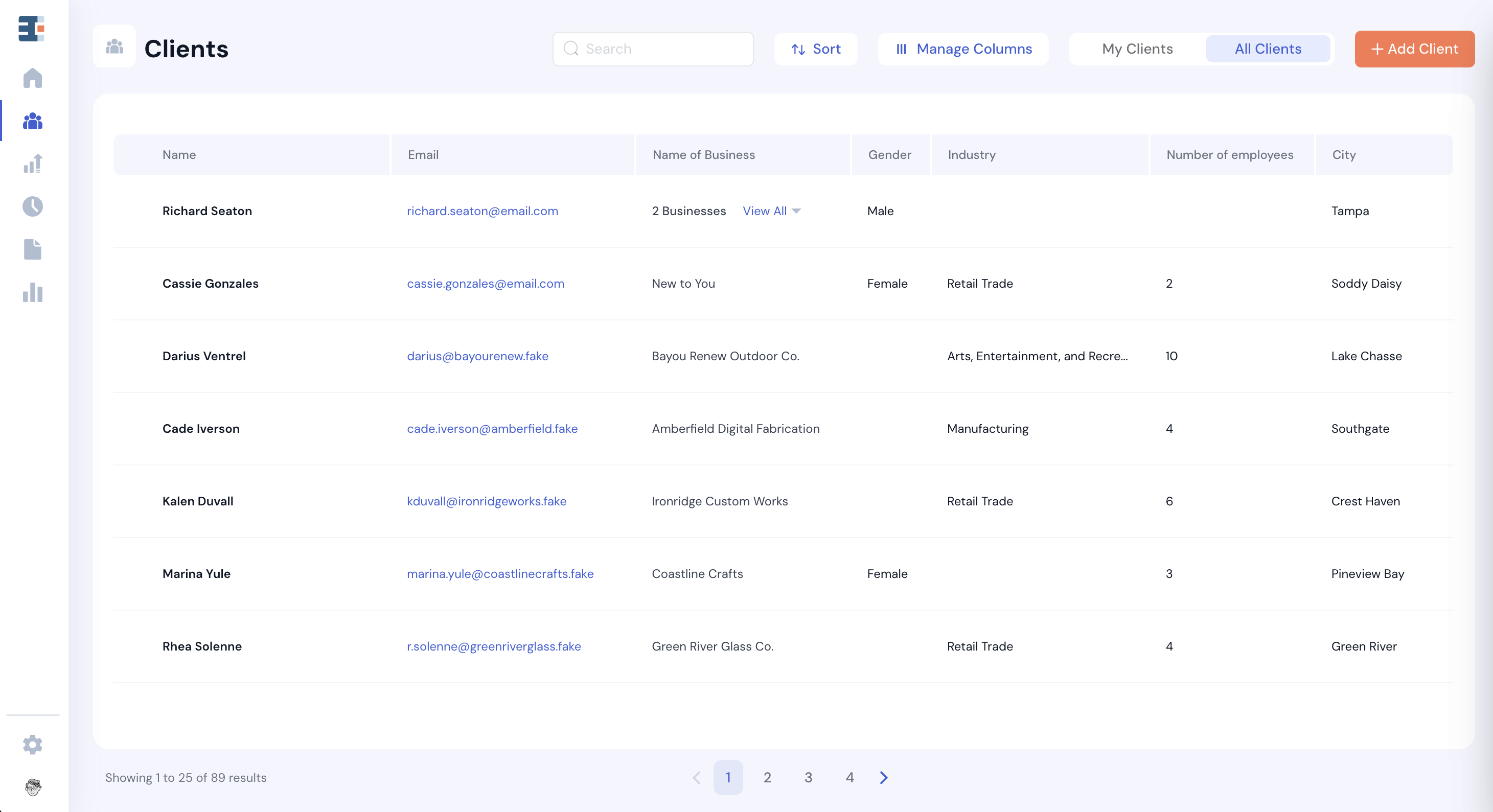
Clients is where all the data about the businesses you serve—and the people who run them—is stored. Any information you want to know about a founder or their company will live in the Clients tool.
In Catalyzer, a client refers to the business owner, or the person themselves. Each client can have up to five businesses housed within their client record. Details about clients and their businesses are stored as properties, or fields. Properties can be text-based, numerical, dates, dropdown selections, website URLs, and more.
A property concerning the business owner as a person (such as race or household income) is considered a client property. A property concerning the client’s business (such as annual revenue or number of employees) is a business property.
This structure allows Catalyzer to track founders and their businesses over time, even if a single client operates more than one business or participates in multiple programs.
Forms
Forms are the primary way data enters Catalyzer.
Most programs rely on forms in some way, whether that’s through an application form, an annual client survey, or a registration form for events and workshops. All of these forms are managed in the Forms tool, though they may appear elsewhere in the platform depending on how they’re used.
Catalyzer form questions can be completely freeform, but they can also be mapped to the client and business properties described above.
For example, the question “What is your gender?” can be mapped to the “gender” client property. When a form submission is received, the client’s gender property is automatically set based on their response. This ensures that your forms and your client database can stay fully in sync without any manual data entry.
Programs
Programs are used to group related activities that you track in Catalyzer. This is especially useful when multiple services are funded by the same source or need to be reported on together.
Sessions, referrals, cohorts, and events can all be associated with programs in your Catalyzer hub. When a client or business participates in any of these activities, they are automatically considered “served” by that program through secondary association.
An important rule in Catalyzer: clients and businesses can only be considered part of a program if they receive a service under that program. In other words, clients are not manually assigned to programs—they are associated through participation.
For example, if you want to reflect that Blue River Brewing was served by your Consumer Goods Accelerator, that business would need to be placed into a cohort that lives under that program.
Programs can also be used as filters when exporting data and generating reports. More on that in another article.
What’s Next
Once you understand how clients, forms, and programs work together, the rest of Catalyzer will start to click. Nearly every feature in the platform builds on these three foundations in some way. In the following articles, we’ll dive deeper into each tool, walk through common workflows, and share practical examples of how teams use Catalyzer day to day. If you’re ever unsure where a piece of data lives or how it should be tracked, coming back to these core concepts is a great place to start.